Every screen becomes an emergency display.
When an incident is declared in Mass Coms, your signage stops what it is doing and tells people exactly what to do. When you stand down, it goes back to normal by itself.
- Close blinds and turn off lights
- Silence phones
- Wait for the all-clear on this screen
How does the emergency takeover work?
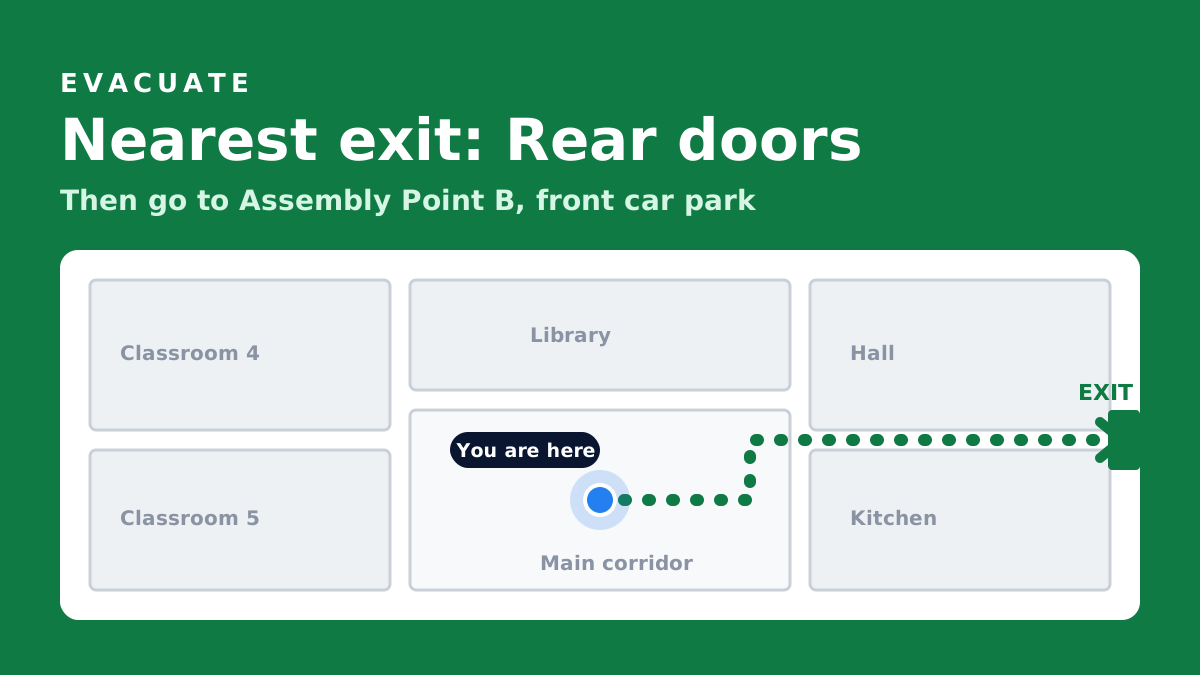
A staff member declares a pre-approved scenario in Mass Coms. In under a second every paired screen drops its playlist and shows a full-screen alert in that scenario's colour, with its response plan. Screens on your floorplan add the route to the nearest exit. When the incident is stood down, each screen returns to its playlist.
- Speed
- Under a second, all screens in sync
- Scenarios
- Lockdown, evacuation, invacuation or your own
- Sound
- Siren and spoken announcement on the app
- Records
- Every activation and drill logged
- Checked
From one declaration to every screen.
The same declaration also goes out over PA, SMS, push notifications to staff phones and door control, all from Mass Coms.
Declare
A staff member triggers a pre-approved scenario in Mass Coms.
Take over
Every paired screen shows the alert, in the scenario's colour, with its response plan.
Guide
Screens on the floorplan show their own position, the nearest safe exit and the assembly point.
Stand down
The alert clears and every screen picks its playlist back up.
Clear instructions, impossible to miss.
Signage is often the only channel that reaches visitors, contractors and members of the public. They have no staff app and you do not have their phone number, but they can see a screen.
- Incident title, message and step-by-step response plan, full screen
- A different colour per scenario, so lockdown never looks like evacuation
- All screens change together, so nobody sees mixed messages
- Exit-route reminders can also run during normal playback, so people learn the way out in advance
Built to work on the day.
An alert system is only as good as the screen that has to show it. These checks happen before an incident, not during one.
Device check
The Screens page flags any device too old to show a takeover properly, so you find out at setup.
No updates mid-alert
The player app will not install an update while an alert is showing or has just ended.
Self-recovering
Screens stay awake, reconnect after a network drop and keep playing from cache meanwhile.
Part of a plan you can evidence.
The Terrorism (Protection of Premises) Act 2025, known as Martyn's Law, asks qualifying premises to have procedures for evacuation, invacuation, lockdown and communicating with people on site. Mass Coms gives you pre-approved scenarios, activation logs and drill records, and your screens become one of the ways those procedures reach people.
Read the Martyn's Law guide on masscoms.com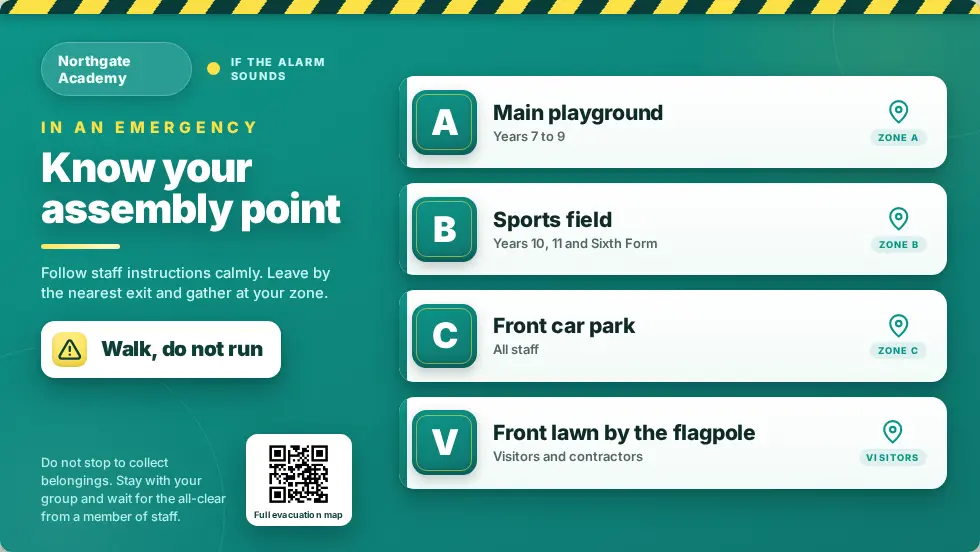
Three products. One platform.
MassCasts is part of Mass Coms, with MassVisit alongside it. Each works on its own. Together they cover everyone in the building, every day and in an emergency.
 Emergency platform
Declare a lockdown or evacuation and reach staff phones, PA, SMS, doors and screens at once, with a record of every step.
masscoms.com
Emergency platform
Declare a lockdown or evacuation and reach staff phones, PA, SMS, doors and screens at once, with a record of every step.
masscoms.com
 Digital signage
Notices, menus and welcomes every day. The alert and the way out on every screen when it matters.
You are here
Digital signage
Notices, menus and welcomes every day. The alert and the way out on every screen when it matters.
You are here
 Visitor management
Sign-in, badges and host emails at reception, so you always know who is on site.
massvisit.com
Visitor management
Sign-in, badges and host emails at reception, so you always know who is on site.
massvisit.com
- MassVisit
A visitor signs in at reception and prints a badge. Their host gets an email.
- MassCasts
The reception screen welcomes them by name, then goes back to its playlist.
- Mass Coms
Later, staff declare an evacuation from their phone.
- MassCastsMassVisit
Every screen shows the way out, and the roll call lists who is on site, visitors included.
Emergency alert questions.
Every question answeredHow do emergency alerts work on digital signage screens?
When a lockdown, evacuation or invacuation is declared in Mass Coms, every paired screen drops its playlist and shows a full-screen alert with the scenario's colour, message and response plan, in under a second and in sync across the site. It clears when the incident is stood down.
Do screens play a siren?
Screens running the MassCasts player app sound a siren and read the announcement aloud. A screen running in a plain browser needs one tap on "enable emergency sound" during setup, because browsers block sound until someone interacts with the page.
Can screens show evacuation directions?
Yes. Each screen is placed on your Mass Coms floorplan, so during an evacuation it shows that screen's position, the route to the nearest safe exit and the correct assembly point.
Can we test it?
Yes. Run a drill through Mass Coms and the screens take part, so people see the real alert before a real incident. Every activation is logged.
Watch your own screens take over.
In a demo we trigger a test incident and you watch every screen switch at once.